Rambling thoughts about WordPress

Miscellaneous
Cloudflare Firewall Rules
Cloudflare announced the introduction of firewall rules on October 3, 2018. Surprisingly, five firewall rules are even provided on the free plan. By comparison the Pro plan provides 20 firewall rules. Unlike Page Rules, additional firewall rules can *not* be purchased. I get five, that’s it – but as we will see a single firewall rule can do a bunch of different stuff provided that the final action is the same. Pretty generous of CF, I think, seeing as I use only their free tier.

She posted Clickbait. What happened next exploded her world!

– or –
Five Shocking Reasons a web page “Call to Action” is really Clickbait
(Ask your doctor if your heart is healthy enough to read #4)
- Irresponsible use of emotional triggers.
- Lack of humanity.
- Lack of honesty.
- Your doctor called and requested I redact #4.
- False promises.
Read more She posted Clickbait. What happened next exploded her world!
Arrg! Me Pirate Form plugin be walkin the plank.
Shiver me timbers! Me favorite contact form plugin – Free and Simple Contact Form by Pirate Forms – be abandoning ship. Pirate Forms was acquired by WPForms, who are retiring my favorite contact form in favor of a migration path to their signature WPForms Lite. Either by remarkable coincidence or due to a wry sense of humor, the scallywags at WPForms made the announcement on International Talk Like a Pirate Day.


When a favorite plugin is lost at sea.
WP is not ready for CSP
 A Content Security Policy (CSP) relies on code headers to help prevent cross site scripting and other malware, providing a great addition to a layered security approach. I think of it as a reverse firewall. It tells browsers exactly what content should be accepted from my site. All other content – malware for example – should be rejected. So, it doesn’t exactly protect my site. But if my site gets infected, it can prevent the infection from spreading – possibly saving my reputation
A correct CSP is a really good thing, adding to interweb safety. So, why do almost no websites – something incredibly small like 1% of 1% – have a CSP? Partly because it is not very well known yet, but also because it is really complicated to create a correct one. It is much more likely that I will screw up my WP site and deliver false errors to my visitors than it is that my CSP will work properly.
The greatest keyboard of all time
Having worked in IT since the mid-1980s, I have seen tremendous advances in technology. Everything has progressed consistently for the better by leaps and bounds. CPUs, monitors, networks, pointing devices, on and on. Year-by-year, decade-by-decade, everything is faster, cheaper, brighter, more capacity, more bandwidth, better everything in every way.
With one exception. The greatest keyboard ever made was the IBM Model M, introduced in 1984. By ‘greatest’ I mean the best keyboard ever mass-produced for the common people, even included standard with off-the-shelf PCs. There are expensive gaming keyboards, hand-crafted artsy perfumed keyboards, keyboards specially made to excel at a certain something, that no doubt have their merits. But for a run-of-the-mill everyday office keyboard for regular people, the M rules and it ain’t even close. Since the M, keyboards have gotten progressively worse – flimsier and mushier – over time.

The greatest keyboard ever made
Is Gutenberg the beginning of the end of WP?
Is Gutenberg the WP Waterloo? An editor too far? The doomed charge of the CMS brigade?

My Creative Commons Quibble
I have no major beef with Creative Commons. To the best of my knowledge those that make their works available through CC are good, well-meaning people. I have used a few CC images and I am grateful for them. I do have a Creative Commons quibble though …
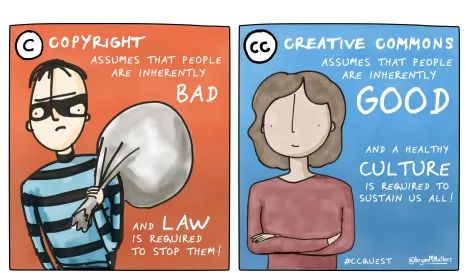 ‘Correct’ attribution: Copyright vs. Creative Commons by @bryanMMathers is licenced under CC-BY-ND
Pop-Ups are Depraved
There is a very special place in hell reserved for those who subject their website visitors to pop-ups. It is below the level of serial killers and just slightly above the level reserved for Hillary Clinton. Pop-ups are so viciously, fundamentally evil it would not surprise me to learn that Hillary herself invented them, perhaps with assistance from Internet-inventor and billionaire climate alarmist Al Gore.
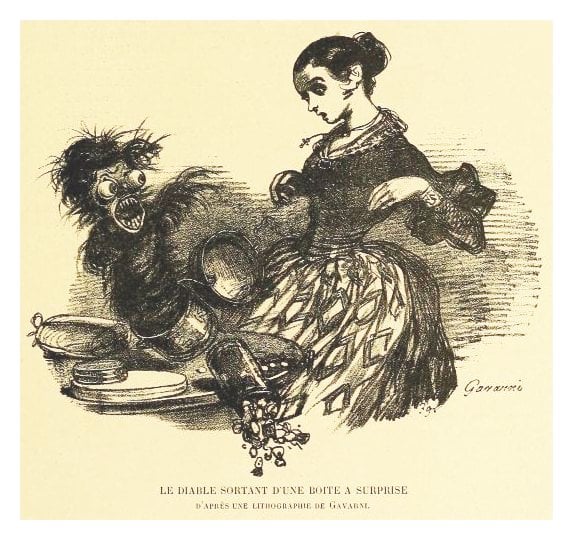
Images, Copyrights, and the Pixabay Plugin
Choosing images to use in my pages and posts can be a minefield. How do I steer clear of unintentional copyright infringement? I could pay for commercial images from a reputable supplier, but that would violate my guiding principal of not paying for web stuff when at all practical. My preference is to always use images that are verifiably public domain. When I can’t find or create an applicable public domain image I resort reluctantly to Creative Commons, though I cringe at the hypocritical requirements and restrictions.
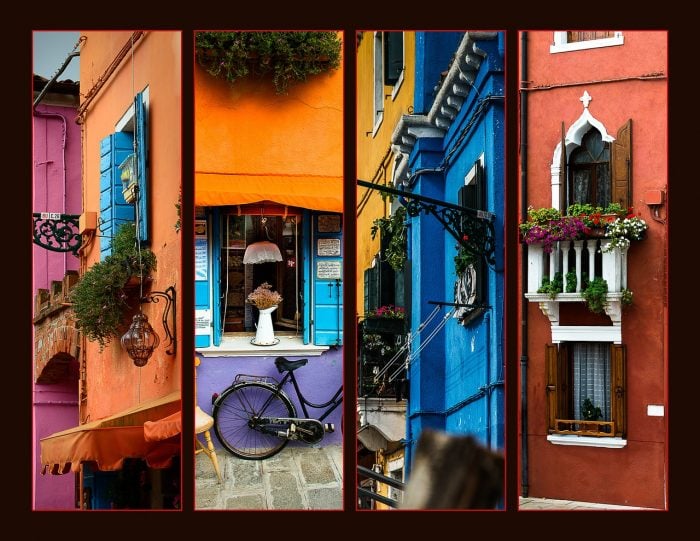
WP Accessibility
 An interest of mine, in addition to WP, is document accessibility. Over the years I’ve learned quite a bit about it, in particular relating to PDF files. My website on the topic is TaggedPDF.com. I know much less about web accessibility, just have never made it a focus of study since from an income perspective (another interest of mine) it seems to be well-covered by others. So, I got to wondering, how are my sites when it comes to WP accessibility?
http or https
Should my websites use standard plain text http, or https (i.e. SSL)? I need to consider ease of implementation, search engine optimization (SEO), security, and speed.


Do not go gentle into the GDPR
The GDPR – the grotesque deprecation of personal responsibility, the ultimate pinnacle of arrogant, tyrannical, despotic big nanny government – is effective as of the date of this post. Do not go gentle into that good night. Rage, rage against the dying of your rights.
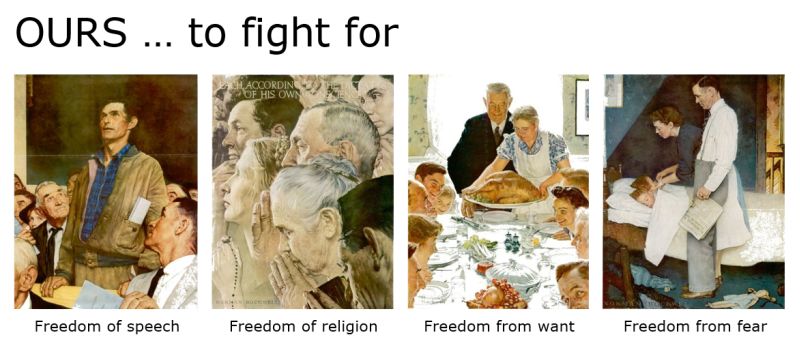
Also freedom to bear arms.
Apparently Norman Rockwell never illustrated that one. I bet it would have been cool.
Why WP?
With all the available choices of web development tools, why WP? The web is already rife with comparisons of WP and its competitors. No need for me to add to the clutter. Just sharing my point of view …

Manual or auto WP install?
The best approach to installing WP is a surprisingly testy topic. Manual or auto WP install? WP purists espouse the manual method using the Famous 5-Minute Installation. Dunderheads like myself much prefer the automatic install script provided by web hosts.